Damage (Variation Item)
Home / Documentation /
⚙️ Getting Started
🏪 Outlet
⚙️ Settings
🏧 Working With Counter
💰 Working Denomination
🛒 Make a Test Sale
👥 Employee Management
📅 Attendance
📋 Working with Tax
🏦 Account
📦 Working (General Item)
📦 Working (Variation Item)
📱 Working (IMEI Item)
🏷️ Working (Serial Item)
💊 Working (Medicine Item)
💳 Working (Installment Item)
🔧 Working (Service Item)
📊 Stock (General Item)
📊 Stock (Variation Item)
📊 Stock (IMEI Item)
📊 Stock (Serial Item)
📊 Stock (Medicine Item)
📊 Stock (Installment Item)
📥 Purchase (General Item)
📥 Purchase (Variation Item)
📥 Purchase (IMEI Item)
📥 Purchase (Serial Item)
📥 Purchase (Medicine Item)
📥 Purchase (Installment Item)
🏷️ Barcode & Label
🖨️ Working with Printer
🛒 Sale (General Item)
🛒 Sale (Variation Item)
🛒 Sale (IMEI Item)
🛒 Sale (Serial Item)
🛒 Sale (Medicine Item)
🛒 Sale (Installment Item)
🔧 Sale (Service Item)
🌐 Multivendor e-Commerce
📧 Working with Email
💬 Working with SMS
💳 Payment Gateway Setting
💬 Working with WhatsApp
👤 Working with Customer
🏢 Working with Supplier
📤 Purchase Return (General Item)
📤 Purchase Return (Variation Item)
📤 Purchase Return (IMEI Item)
📤 Purchase Return (Serial Item)
📤 Purchase Return (Medicine Item)
📤 Purchase Return (Installment Item)
🔄 Sale Return (General Item)
🔄 Sale Return (Variation Item)
🔄 Sale Return (IMEI Item)
🔄 Sale Return (Serial Item)
🔄 Sale Return (Medicine Item)
🔄 Sale Return (Installment Item)
📊 Dashboard
🎁 Promotion & Coupon
🏆 Loyalty
💳 Installment Sale
🔧 Warranty/Servicing
📈 Income
📉 Expense
💰 Salary/Payroll
📋 Quotation
🔄 Transfer (General Item)
🔄 Transfer (Variation Item)
🔄 Transfer (IMEI Item)
🔄 Transfer (Serial Item)
🔄 Transfer (Medicine Item)
🔄 Transfer (Installment Item)
❌ Damage (General Item)
❌ Damage (Variation Item)
❌ Damage (IMEI Item)
❌ Damage (Serial Item)
❌ Damage (Medicine Item)
❌ Damage (Installment Item)
🏢 Fixed Asset
📊 Report
🔄 Update Software
❌ Uninstall License
Add Damage
The Damage option for variation products allows you to record damaged items that come in different variations such as size, color, or model. This ensures proper tracking, accurate stock management, and reliable reporting for each product variation.
Go to the left sidebar and expand the Damage menu.
Click on the Add Damage option.
Select the Variation Product you want to record as damaged.
Enter the required details such as variation type, quantity, and reason.
Save the entry to successfully add the damage record.
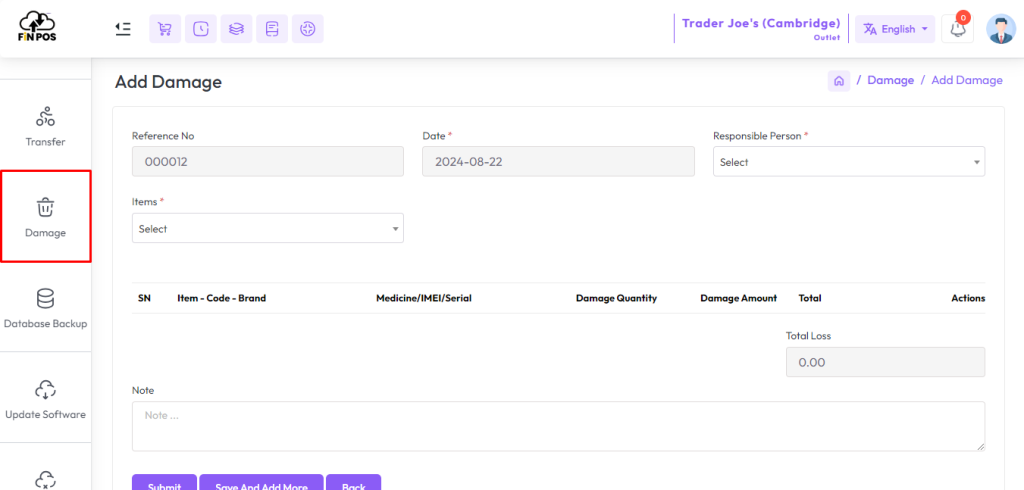
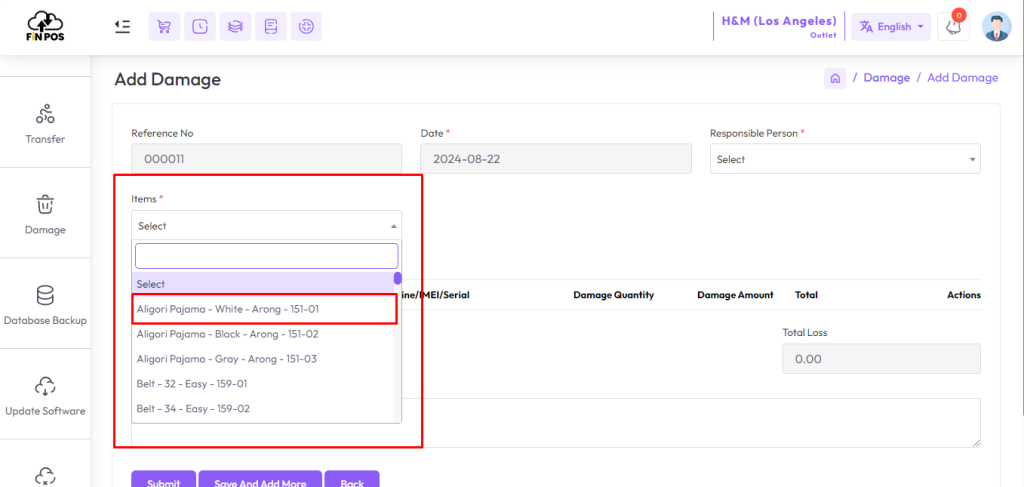
The Variation Product Damage option is used to record damaged items with different variations like size, color, or model.It ensures that the correct product variation is selected.This helps in maintaining accurate stock records.From the Item field, choose a product of Variation Type.Selecting the right variation prevents mismatches in reports.
The entry will be used for proper tracking and monitoring.
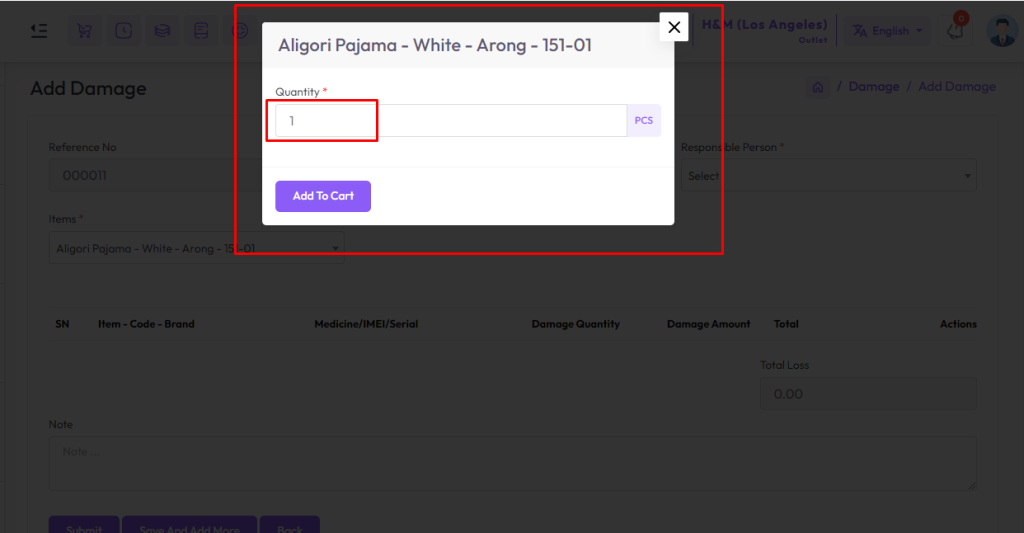
After selecting a variation item you will get a popup modal, Enter the quantity in the Quantity field for how many quantities you want to damage, Then click the Add to Cart button to add this item to the cart.
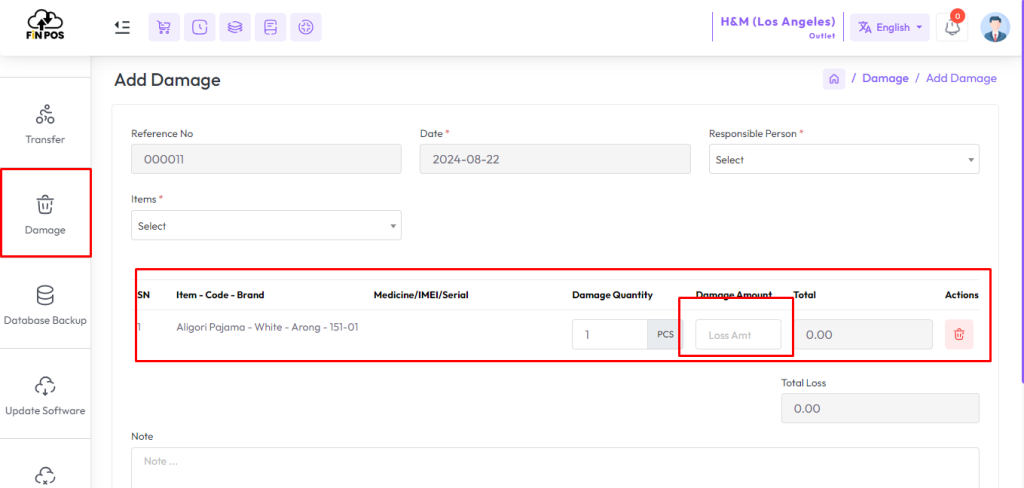
The Loss Amount and Damage Quantity fields are used to record the financial value and number of damaged variation products. Entering these details ensures accurate reporting, proper stock management, and reliable loss tracking in the system.
The Loss Amount field records the total financial value of damaged products.
It helps in calculating the monetary loss for reporting.
The Damage Quantity field captures the number of variation items damaged.
Entering both values ensures accurate stock and loss records.
These details improve tracking, monitoring, and accountability.
Always double-check the values before saving the record.